00:03.620 Introduction
02:36.640 What is Calc?
04:54.280 calc-algebraic-entry
06:37.399 calc-roll-down
08:07.760 Advanced functions
08:58.180 Solving equations with calc-solve-for
09:54.720 Systems of equations
12:00.080 calc-find-root
12:39.960 Derivatives and integrals
14:17.540 Programmable functions
18:12.160 Plotting
20:08.800 Wish list
22:38.600 Wrapping up
An introduction to some of the basic Algebra and Calculus functionality in Calc, as might be useful in engineering or electronics.
About the speaker:
Christopher Howard is a simulator technician in Fairbanks, Alaska, and a GNU Emacs user for a little over a decade. My technical interests are focused on analog computing and modeling with differential equations.
Discussion / notes
Q: How sophisticated an ordinary differential equation solver would
be useful? There are some C libraries one ould try to build upon,
but there are many corner cases, stiff, non-stiff is one
categorization, but an explicit Runge Kutta would work for many
non-stiff equations
A: I don't really have any opinions right now about the
approximation methods. For me, what I really want is one of
those old style languages where you basically just type in the
list of differential equations and don't have to do any other
computer programming, or know the details of another programming
language. I played around a bit with python-dda, though it has
some deficiencies. There are some graphical free software
programs where you do this sort of thing with blocks, but they
all depend on Java which is problematic in Guix.
Q: Is there a way to see the input of a custom function? E.g. if you
forget the order of f and C in the example you showed
A: Let's see... there is calc-user-define-edit. One calc also
view the file where the definitions are stored, though that is a
somewhat obscure format.
Q: Have you tried interacting with calc via org-babel (first thing
that came to mind when you said that you'd like to annotate
values)? Any thoughts on that? How about rendering gnuplots on org
documents via calc?
A: I played around with babel once like two years ago, trying to see if it would make more sense to use babel or one of those jupiter notepad things. But I guess I haven't really had any need to play around with either one since then. I don't really have any need to produce plots on org documents right now, but it is an interesting idea.
Q: Who is in charge of calc development anyway? Is there an active maintainer?
Nice talk.
Thanks for the cool talk! I've been using Calc quite a lot recently for linear algebra work. I also use it quite often for unit conversion. There's a package called calc-currency which is very useful but unfortunately does not seem to be maintained anymore.
I'm going to have to rewatch this talk.
thanks for your talk! Calc strikes me as one of those really powerful things I should spend time learning a little more about one of these days =)
calc is suprisingly good at datetime math.
I mostly use it for that and unit conversion. I don't do any fancy calculus like lispmacs did in his talk.
Funny, I'm studying computer engineering and just a few weeks ago I'd decided to properly learn how to use calc myself.
Interesting descriptions of stargazing on Christopher Howard's gemlog
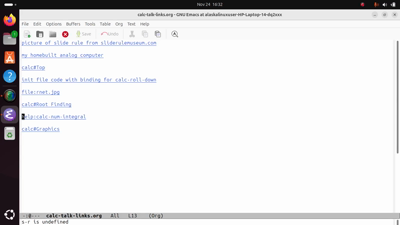
Hello, my name is Christopher Howard and welcome to my talk.This is basically an introductionto the built-in Emacs calculator,properly known as Emacs Calc,particularly from the perspective of someonewith a technical background such as engineering or electronics.I will say, though, my personal interest is not reallyin digital computing or digital calculators,but lately has been focused more on analog computing.I have, for example, been working to masterthe venerable slide rule, a mechanical computerthat calculates multiplication powers and logarithms.Here's a picture of one.It's a physical tool that was used for hundreds of yearsfor this sort of thingbefore the handheld calculator was made popular.And I also had a project that I didfor a while to several monthsto build an electronic analog computer.A rudimentary attempt of mine, but it's functional,and it's basically a 1960s or 1970s styleelectronic analog computer built very much on a budget,but the box in the middle is the computer properwhich has most of the components inside of itas well as the potentiometers for setting values,and an operation switch.There's a patch panel on the leftfor connecting the different integrators,amplifiers, multipliers, and so forth together.Then the output of the simulation is displayedon the oscilloscope on the right side,which is a digital oscilloscope.To be honest, I think that a talk about analog computingwould be much more interestingthan the talk that I'm about to give,but unfortunately that would be out of scope for EmacsConf.
So instead I will talk about Emacs Calc,the digital calculator built into Emacs.Emacs Calc, while not being a replacement for softwarelike GNU Octave, does have advanced calculator functionalitythat can be useful in engineering, electronics,or other technical applications. So I don't want to oversell it,but I think functionality-wise, Calc is somewhere in betweenwhat you'd expect of a decent scientific calculatorand an advanced graphics calculator.So this talk I'll mention is not intended to be a tutorialbut only a brief introduction to Calc.Please refer to the built-in Calc info manualfor detailed instructions on how to complete operations.Turn off my volume here.The documentation for Emacs Calc is built-in,although on some distributions you may have to installthe Emacs documentation separately for licensing reasons.Calc presents itself as a stack-based calculatorwhere entries are dropped onto a stackand then an operation is performed on the stack entries.For example, I can drop 1.23 onto the stack,and then 8.56, and then multiply them together.
It may present itself as a stack-based calculator,but indeed, Calc is also capable of accepting inputin the more well-known algebraic formatby using the calc-algebraic-entry command,which by default is bound to the apostrophe (') key.So you type the apostrophe key, enter the algebraic input,including parentheses as needed.For example, here's a calculation of the resonance frequencyof a coil which has an inductance of 250 microhenriesand 160 picofarads, taken from one of my electronics handbooks.The formula for that is 1 over 2 piand then the square root of our inductancewhich is in this case 250 microfarads - excuse me, microhenriesand then the capacitance is 160 picofarads.Small typo here.Now I need to evaluate that one more time,because pi is a symbol.I get about 800 kHz resonant frequency.
The command calc-roll-down,which by default is bound to the TAB key,will swap the top two stack entries,which is sometimes useful if you need to manipulate somethingthat's further down the stack.So I can swap this around and say multiply by twoand then put it back where it was.This command is also capable of rolling the entire stack.Say I want to shift them all around.This can be done by passing extra argumentsto the calc-roll-down function.That's a little bit inconvenient to do manually,so in my init file, I defined here a key definitionthat passes in those arguments correctly.I attached this to shift-tab,so this way, I can roll the entire stack.Then I could change one entry hereand then put it back where it was.So Calc does algebraic input.
It also does advanced functionsthat you would expect any handheld scientific calculator,including trigonometric functions.For example, we can get the sine of a number.Now I'll mention here that Calc has multiple modes.Right now it's in degree mode.You can switch over to radian mode if you want.I'm going to put it back in degrees.Drop 12 degrees on the stack, and then get the sine of that.And then with the inverse sine function, I can put it back.
Calc also has the nifty ability to solve equations for youso long as the equation is not too complicated.This is using the calc-solve-for function.For example, we could enter in an equation algebraically,then run calc-solve-for, and we just have to tell itwhat variable we want to solve for. And there we go.We can do this manually as welljust so you can see that we get the same result.
Calc is also able to solve systems of equations.We can put more than one equation on the stack,and then solve for several variables.To give a technical example for this,I'll show you a resistor network scribble that I did recently.Hopefully you can see that. Basically,it's fairly simple, a pretty simple resistor networkwith 1 kilo ohm and 10 kilo ohm resistors,and using the loop methods, we are calculating the currents,the current in each loop, and then that current can be usedto solve for the voltage of each individual resistorif we want to. So at the bottom there we have the equationsthat we come up with as we work through each loop.And I'm going to paste that into Calc.To save some time, I'm going to copy and paste thatfrom my notes instead of typing it out.So we have two equations there on the stackin one stack entry. We run that calc-solve-for function again,and we tell it which variables we want to solve for.And voila! Those are our currents,which we can then use to get the voltagesfor the individual resistors.
I'll just briefly mentionthat if Calc is not able to solve an equationwith calc-solve-for,then you might be helped by another calc functioncalled calc-find-root.This function basically does a manual searchfor a numerical solution to the equation.And there's the documentation page on that.
Calc can also solve or find derivatives of functions,at least the more straightforward functions.For a simple example,we can get the derivative of thatwith the derivative function.On the other hand, Calc is also capable of figuring outindefinite integrals.Say we put that function back on the stack,and this time, we call the integral function.There you go. Of course, you have to addyour own constant of integration.For integrals that Calc cannot figure out symbolically,a numerical integration method is availablethrough the calc-num-integral command, which is documented...The function documentation is available here, more or less.
I definitely need to mentionthat Calc is capable of doing programmable functions.That is to say, you can program your own functions into Calc.There are three separate ways to do this.One is through a macro methodsimilar to Emacs's usual keyboard macros.The second method is to transform an algebraic functioninto a stored function definition.And the third is to use Elisp directly.Personally, I find that the second methodis the most practical, the most convenient and practicalin my opinion. So I'll give a quick example of that.So I could... Let's say I wanted to have a functionfor calculating capacitive reactance.I'll define that in algebraic mode first.The function for that is 1 over 2 pithe frequency and the capacitance.Drop that on the stack. You see, it does automaticallyget simplified a little bit, but it's the same function.And then I press letters Z and F. Do that again.Z and F to start transforming that into a stored function.It asks me to select a user key, a single key press.I'll use the letter c.Then it's going to ask for a longer command name.I've actually defined this once before, so it prefilled inthat command name.Then I need to enter which variables in the formulaare actual arguments, rather than just symbolsto be evaluated later. I prefer to put this in with frequencyand the capacitance after that,but actually in this particular case,it doesn't matter at all to the mathematics.So, now all I have to do, that this is defined,is I can drop the frequency on the stack,which we'll say, for this example, will be 4.5 MHz,and then drop on the capacitance, which in this examplewill be 22 pF.Then I'll call the function that I just defined.I don't really like having to try to rememberthe short letters that I've come up with,so I'll just use the longer name.I need to evaluate one more timebecause the symbol pi is in there and not yet evaluated.And so if I've done that right,we have a capacitive reactance of about 1600 ohms.
As the last feature that I'll mention here,Emacs Calc does have an interface with gnuplot,if you want to have Calc work as your graphing calculator.I do need to be honest and mentionthat I don't generally use it myselfbecause there's another program in GNOMEthat I've found to be generally more convenientfor the things that I want to graph quickly.But I think I can give you a simple example.So first, we need to drop a range on the stack.Let's say 0 to 10.And then we need to drop the function on the stack.And then I believe it's the letters g and f that graph this.Let's see. Yep, there we go.So there's our function and it looks nice.That was pretty easy.That's the fast way to do it.I will, as a disclaimer, mention thatusing this quick approach,that sometimes more complicated graphswill not turn out nicely,because by default, the resolution will be pretty low.That is to say it's... gnuplot is going to beskipping a lot of pointsand so you'll have to learn a bit moreabout how to use the interface,what parameters to pass if you want all your graphsto come out looking nice.So that covers all the features that I wanted to cover.
I wanted to briefly mention a wish list of itemsthat I'd like to see in Calc.One of them would be improper integrals.So that's like our definite integralsexcept for where a limit of integration is infinity.That's something that can be useful in a few applications.Something else that would be neat to have would beannotations for row entries. So for exampleif I was putting together a sum of numbersfor, say, my monthly budget,let's say I was paying $2,000 for my rentand let's say $800 a month for my groceries,(a lot of kids to feed there)and then say another $60 for dining out, and so on,it would be nice if there was some wayto put a little annotation next to each numberso that you could rememberwhat the meaning of that number was more easily.I actually looked into programming this into Calc myself,but discovered that it would require reprogrammingquite a bit of Calc to make that work wellacross all calc functionality,and so, eventually, I gave up.But I'd still really like to have that feature.The final thing, thoughI think this would not necessarily belong in Calc,I think it would be cool if Emacs had some wayto run numerical solutionsfor systems of differential equations,also known as a differential analyzer.So this would allow you to be able to set up simulation modelsinvolving systems of differential equations,for example, a spring mass system, or pressure temperature,or what have you, and then run the simulationusing numerical approximation.Maybe it would be sillyto actually put that in Calc itself,but a nice interface maybe to some other software,simple software that did that,an easy to use interface for thatwould be really great.
So that's my entire talk.I'll just mention some information.If you want to learn more about meor things that I'm interested in,I do not any longer have a web presence.I don't have a website anymore,but I do have a Gemini capsulethat I post to all the time.And if you can install, if you're willing to install the...Gemini browser known as Elpherinto Emacs, which is available from ELPA,then you can browse directly to itand look around my Gemini capsule.Thank you very much.